What an evaluation looks at
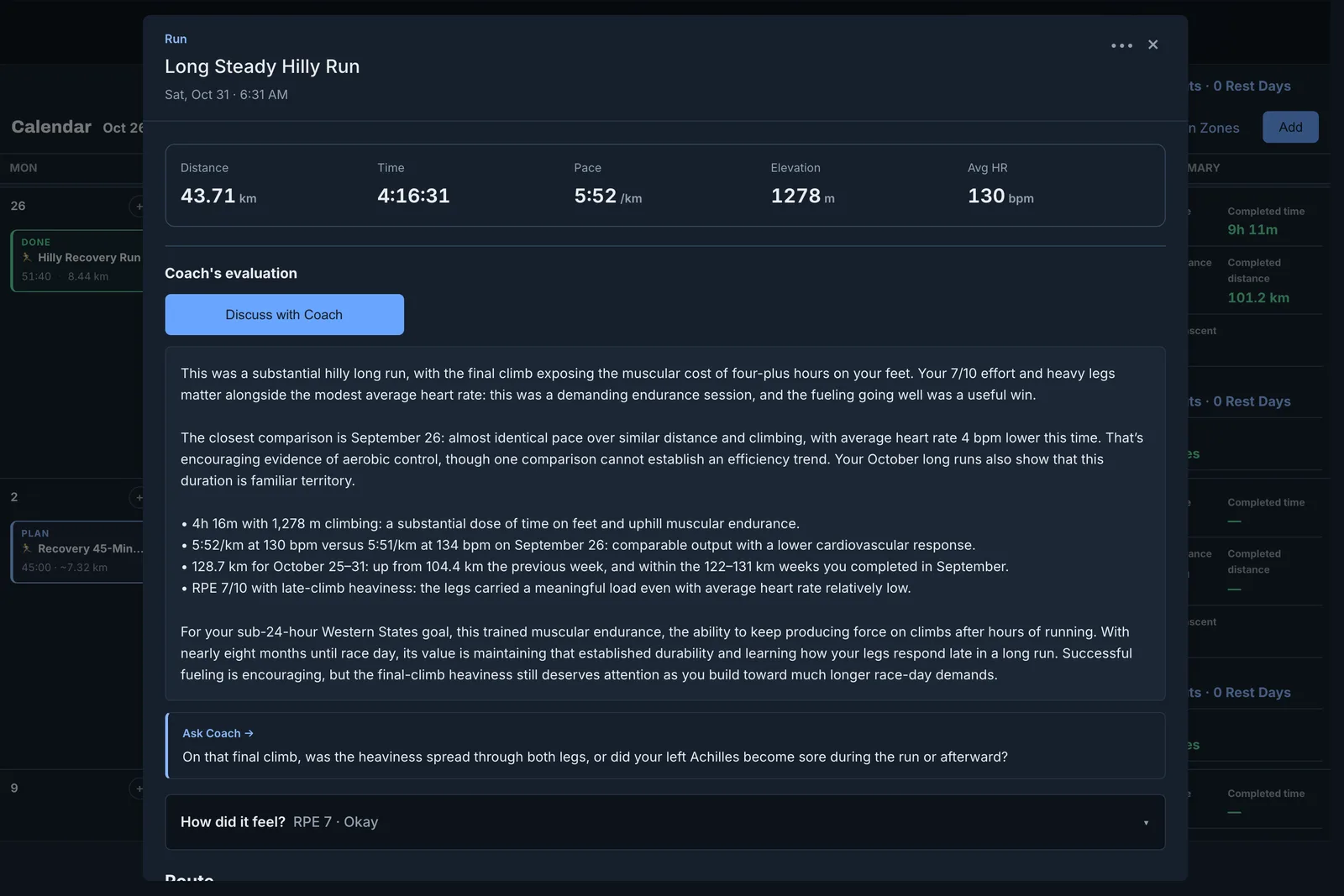
- Your pacing, effort, heart rate, intervals, and elevation.
- Your earlier runs on the same route, and similar sessions.
- Your reps against the workout you planned.
- Your goal, your load, and your recovery.
- What you said about how it felt.
Tell your coach how it felt
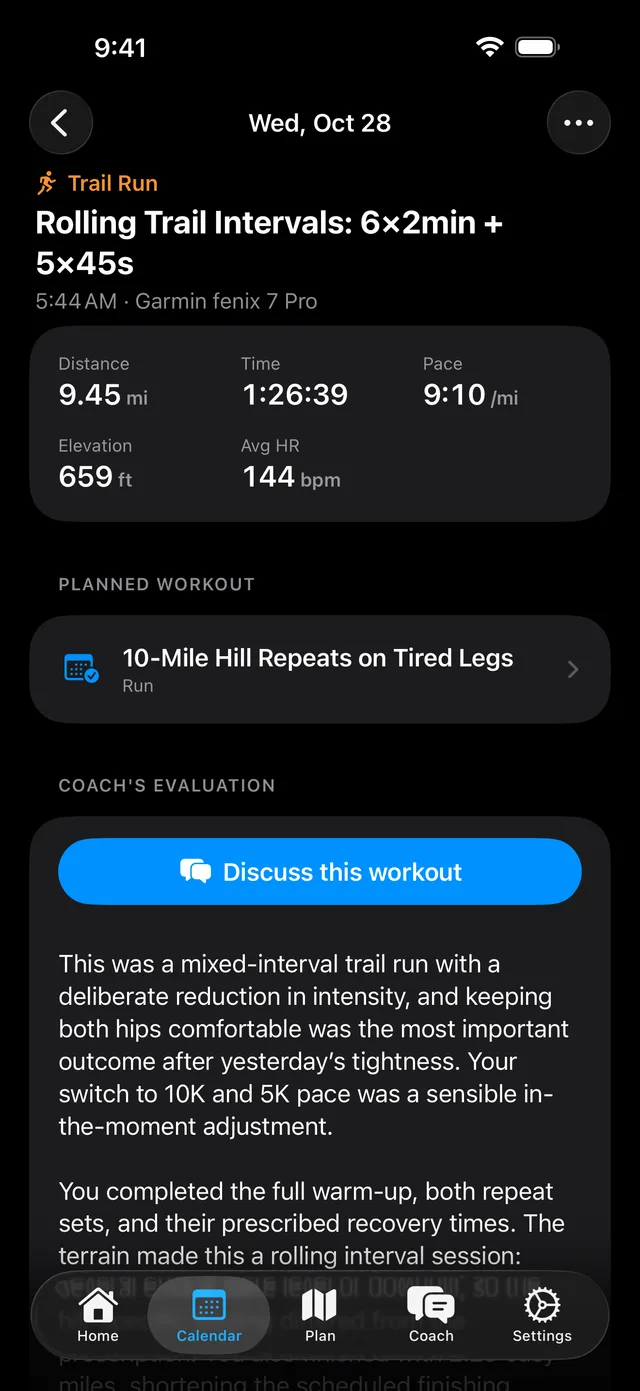
Your coach uses this in the evaluation and in later conversations. If you rate a workout on your Garmin watch, the rating comes in by itself.
If a workout felt very hard, your coach follows up and checks your next planned workout.
- Open the workout.
- Rate your effort and how you felt.
- Add a note in your own words.
Talk it through
Select Discuss on a workout. Your coach opens a conversation about that workout, so you can ask what it means or change what comes next.
Change your evaluations
To get a new evaluation for one workout, open the workout and open the More menu.
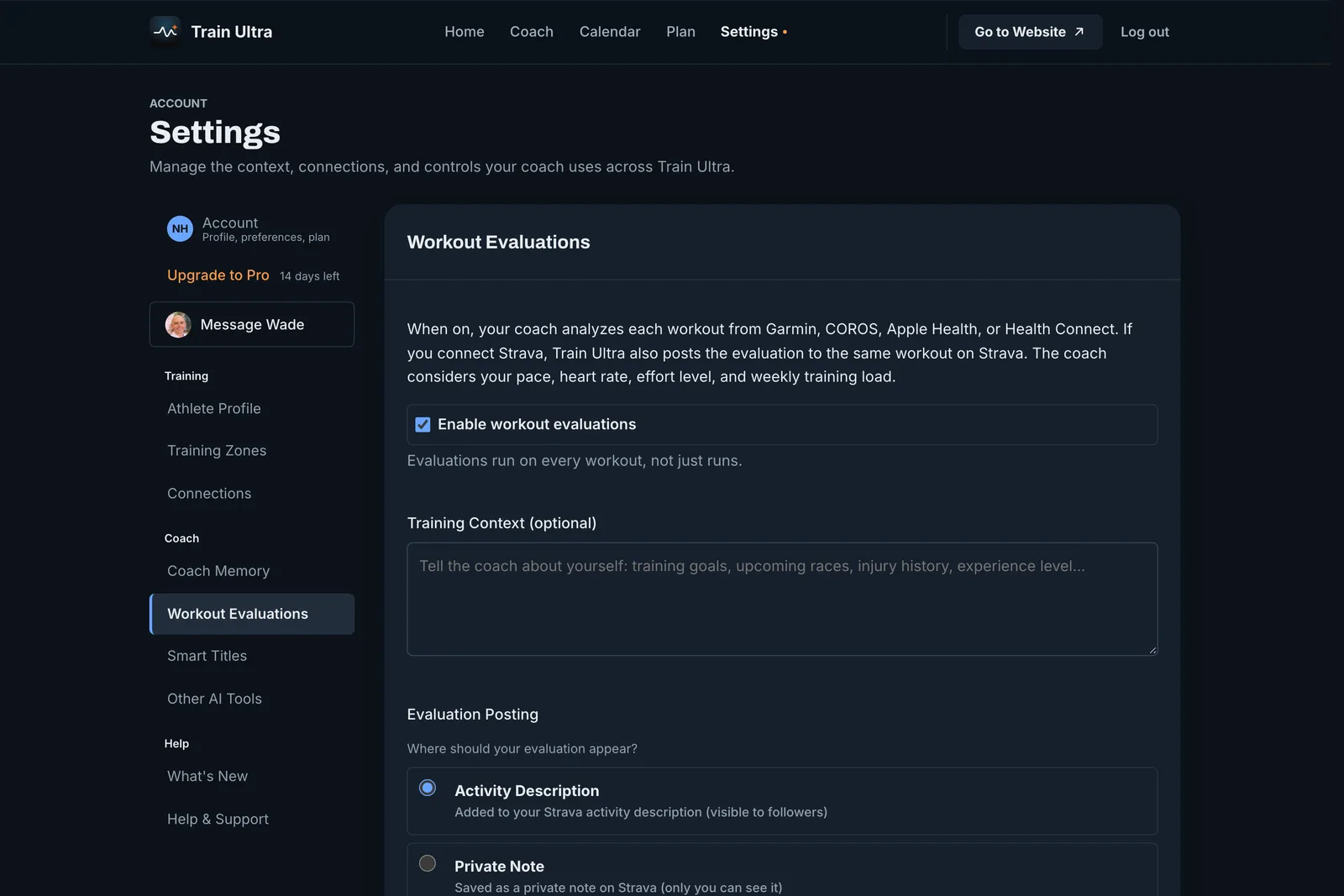
- Open Settings, then Workout Evaluations.
- Turn evaluations on or off.
- Add Training Context, such as your injuries or the language you want.
- If you connect Strava, choose where an evaluation goes: the activity description, a private note, or Train Ultra only.
Who can use it
Evaluations are free. With Pro or a trial, they also measure each workout against your goals.