How it works
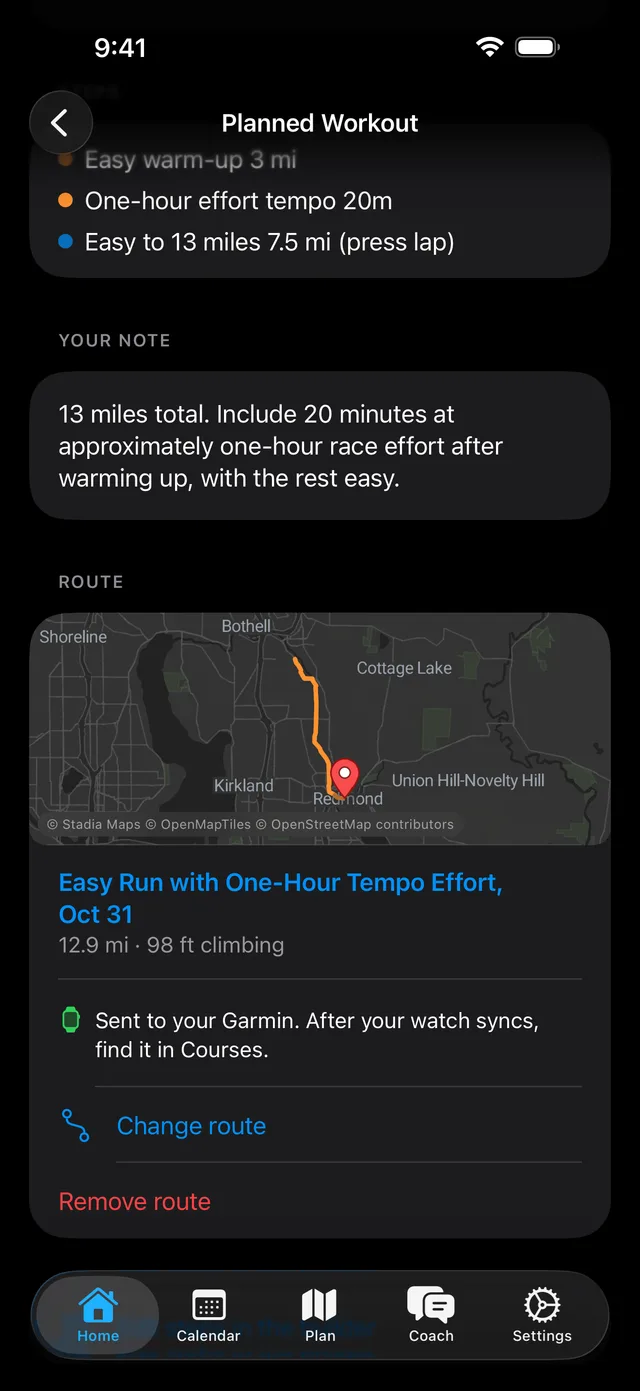
With Pro or a trial, Train Ultra sends planned runs and rides to your Garmin or COROS calendar. This is on when you connect. Other sports stay on your Train Ultra Calendar.
A planned run or ride keeps its steps, targets, and repeats when it goes to your watch.
Garmin
Train Ultra puts the workout on your Garmin Connect calendar for the right day. Sync your watch to get it. A route goes to your watch as a course: find it in Courses after your watch syncs.
If you connected Garmin before October 27, 2026, choose Update Garmin permissions in Settings, Connections one time to send routes.
COROS
COROS takes workouts up to 90 days ahead. COROS cannot move or delete a workout for Train Ultra, so delete the old copy in the COROS app.
Apple Watch
Train Ultra cannot send workouts to Apple Watch.
Turn it off
Open Settings, then Connections. The COROS switch is in Settings on the web.
If a workout does not arrive
- Check that you have Pro or a trial.
- Check that it is a run or a ride.
- Check that Garmin or COROS is connected and that sending workouts is on.
- Open the Garmin Connect or COROS app, and sync your watch.